Transform Your Apple TV Experience: A Step-by-Step Guide to Installing Lepro STV1 Reactive Backlighting
Introduction
Reactive backlighting is one of the most effective ways to elevate your Apple TV setup—adding depth, reducing eye strain, and creating a cinematic ambiance. However, many solutions come with a hefty price tag. Enter the Lepro STV1, an affordable backlight kit that launches today and promises to bring reactive lighting to your living room without breaking the bank. This step-by-step guide will walk you through the entire installation process, from unboxing to calibration, so you can enjoy dynamic lighting that responds to every scene.
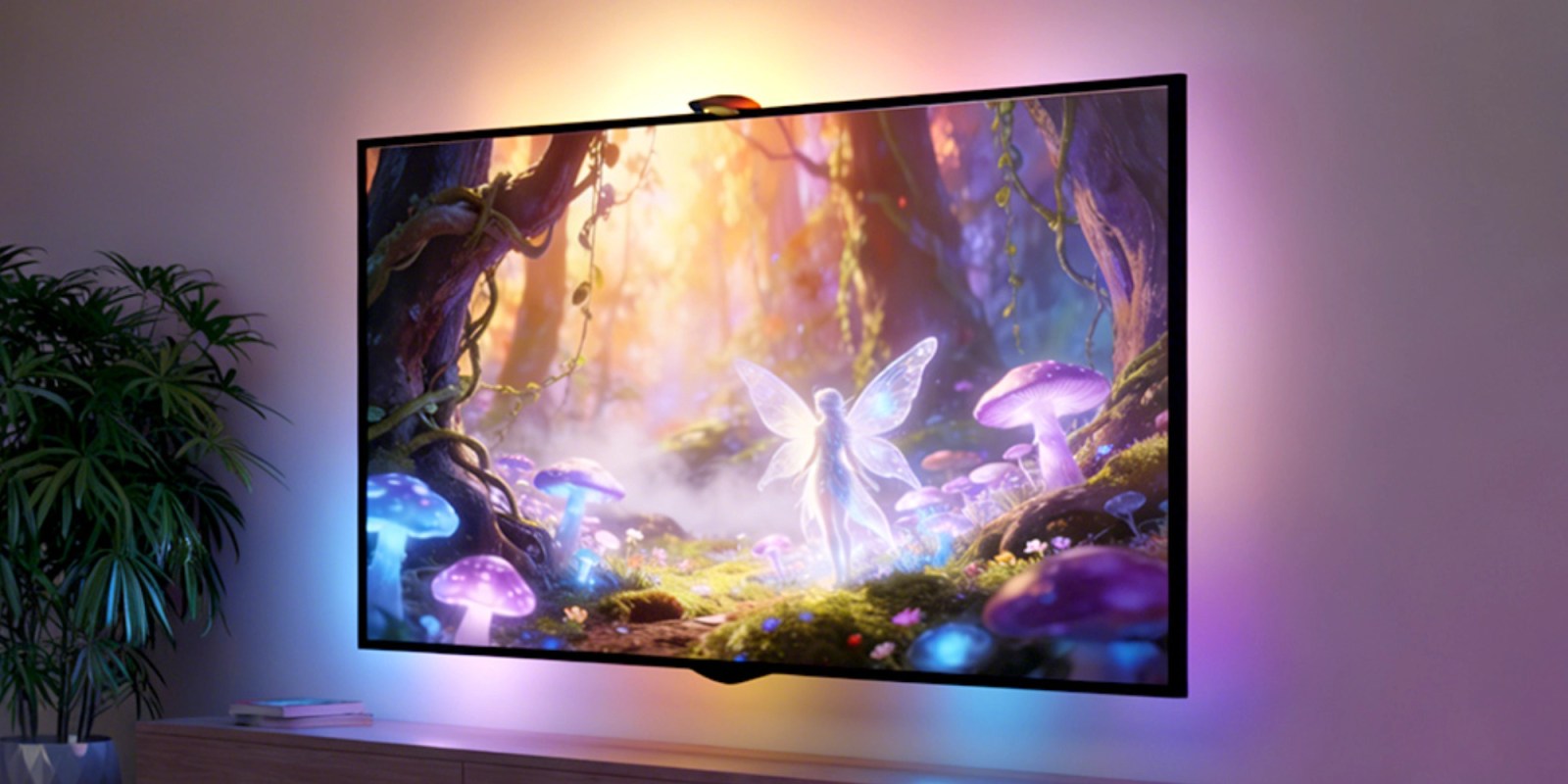
What You Need
- Lepro STV1 backlight kit (includes LED light strip, camera sensor, controller, and power adapter)
- Apple TV (4th generation or later recommended)
- High-definition television with a flat back surface (ensure ample space for mounting)
- Power outlet near the TV
- Microfiber cloth for cleaning the TV frame
- Measuring tape (optional, for precise placement)
- Smartphone with the Lepro app (available for iOS and Android)
Step-by-Step Installation
- Unbox and Inspect the Kit
Carefully open the Lepro STV1 box and lay out all components: LED strip, camera sensor, controller unit, power cable, adhesive pads, and user manual. Verify that everything is intact and check for any visible damage. Familiarize yourself with the parts—this will make the next steps smoother. - Prepare Your TV
Turn off and unplug your TV. Use a microfiber cloth to clean the top or bottom edge of the TV frame (where the camera will be mounted) and the back area where the LED strip will attach. Ensure the surface is free of dust and grease for optimal adhesion. - Mount the Camera Sensor
The camera sensor is the brain of the reactive system—it captures the screen content to adjust the lights. Place the sensor on the top edge of the TV (or bottom, if preferred) using the included adhesive clip. For best results, center it horizontally and position it flush against the screen bezel. The camera should have an unobstructed view of the entire display. - Attach the LED Light Strip
Peel the backing from the adhesive strip and carefully attach the LED strip along the back perimeter of your TV. Start at one corner and press firmly as you go, taking care to avoid kinks or bends. For a seamless look, make sure the strip sits just inside the bezel so that the light diffuses evenly around the edges. - Connect Components
Plug the LED strip’s connector into the controller unit, then link the camera sensor to the controller via the included cable. Finally, connect the power adapter to the controller and plug it into a nearby outlet. The lights may flash to indicate power is received—this is normal. - Download and Pair the Lepro App
On your smartphone, download the Lepro app from the App Store or Google Play. Open the app and create an account (or log in if you already have one). Follow the in-app instructions to pair the controller with your phone via Bluetooth. Once paired, the app will guide you through a quick Wi-Fi setup for full remote control. - Calibrate the Camera
Place a white or neutral-colored image on your Apple TV screen (use a calibration pattern from YouTube or the app). In the Lepro app, select “Calibrate” and follow the prompts to adjust the camera’s sensitivity and color matching. This ensures the backlight accurately reflects the on-screen content. Save the calibration profile. - Test and Fine-Tune
Play a movie or show on Apple TV with vibrant colors and dynamic scenes. Observe how the lights react. If the response seems delayed or colors are off, revisit the app’s settings: tweak brightness, reaction speed, and hue matching. Many users prefer a subtle glow over aggressive flashing—adjust to your taste.
Tips for Best Results
- Position the camera carefully: A misaligned sensor can cause the lights to lag or display wrong colors. Double-check that no object (like a soundbar) blocks its view.
- Manage cables neatly: Use cable clips or ties to route the power and sensor cables along the TV’s back, keeping them out of sight.
- Optimize lighting in your room: Ambient light can interfere with the camera’s accuracy. Use the Lepro STV1 in a dimly lit room for the most dramatic effect.
- Update firmware: Check the Lepro app for firmware updates regularly to improve performance and add new features.
- Combine with other smart lights: If you have other Lepro devices, sync them via the app for a whole-room ambiance.
By following these steps, you’ll have your Apple TV enhanced with stunning reactive backlighting in under 30 minutes. The Lepro STV1 offers a budget-friendly way to bring cinema magic into your home—no professional installation required. Enjoy your immersive viewing experience!
