Building an Interactive Conference Assistant with .NET’s AI Toolkit: Q&A
Welcome to a deep dive into ConferencePulse, a live conference assistant built entirely on .NET's composable AI stack. Instead of a traditional slide deck, we created an interactive experience that leverages polling, real-time Q&A, and automated insights. This Q&A explores how we combined Microsoft.Extensions.AI, data ingestion, vector search, the Model Context Protocol (MCP), and the Agent Framework to build a seamless, AI-powered app. Read on to understand the architecture, key components, and how they work together to transform a conference session.
What is ConferencePulse and how does it enhance live conference sessions?
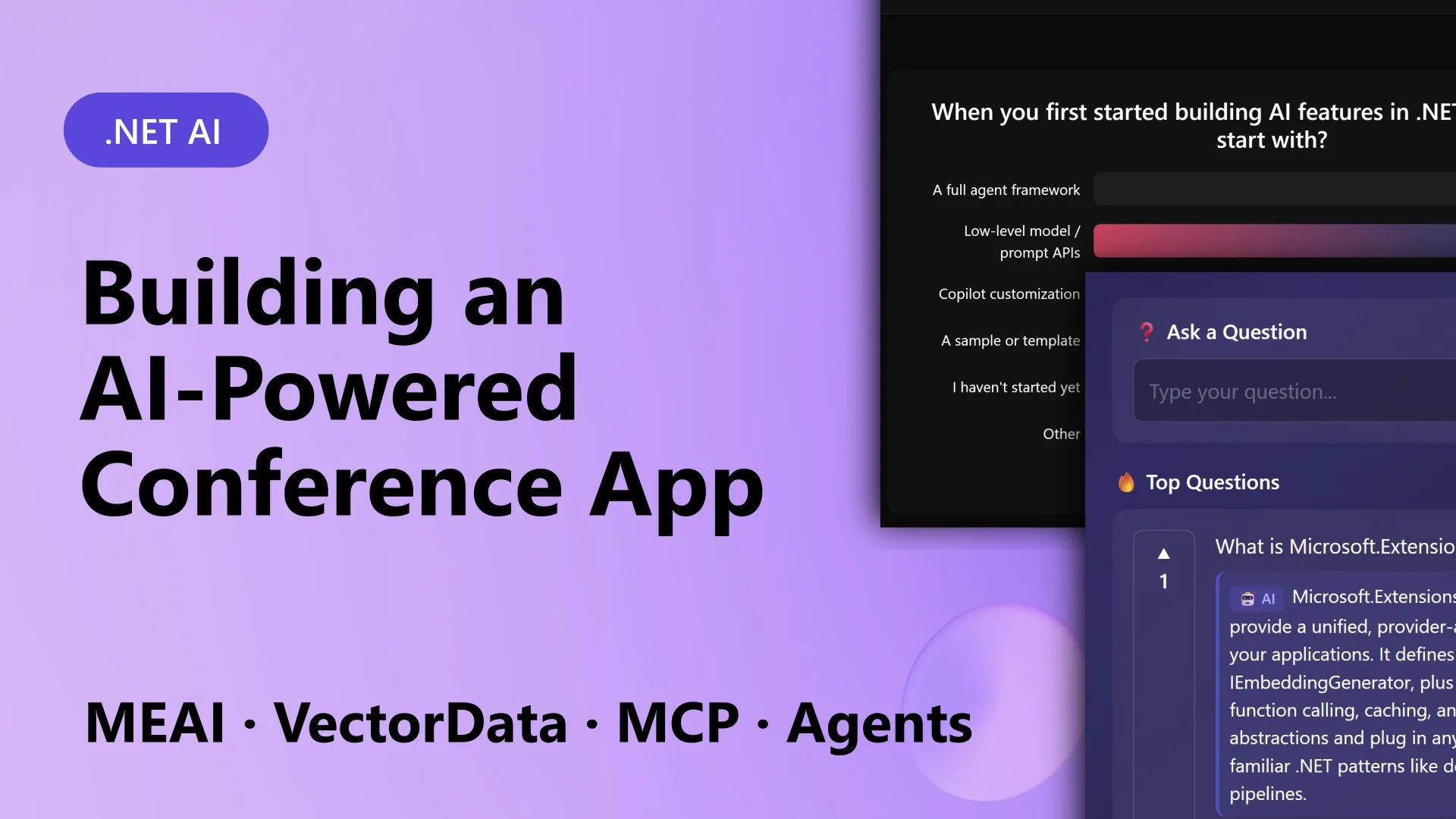
ConferencePulse is a Blazor Server app designed for live conference sessions. Attendees simply scan a QR code to join a session, where they can participate in live polls and an audience Q&A system. The AI generates polls on the fly based on the session content, and results update in real time. For Q&A, a Retrieval-Augmented Generation (RAG) pipeline pulls answers from a knowledge base that includes session materials, Microsoft Learn docs, and GitHub wiki content. The app also auto-generates insights from poll patterns and audience questions, and when the session ends, multiple AI agents collaborate to produce a comprehensive session summary. This transforms a one-way presentation into an engaging, data-driven conversation between presenter and audience.
Which .NET building blocks power ConferencePulse?
ConferencePulse is built on five key .NET libraries from Microsoft’s composable AI stack:
- Microsoft.Extensions.AI – Provides a unified
IChatClientabstraction that works with OpenAI, Azure OpenAI, Ollama, and local models, allowing easy provider switching. - Microsoft.Extensions.DataIngestion – Handles the pipeline that ingests markdown from GitHub repos, processes it, and builds a searchable knowledge base.
- Microsoft.Extensions.VectorData – Manages vector embeddings and similarity search for the RAG pipeline.
- Model Context Protocol (MCP) – Enables consistent communication between AI agents and tools, via both server and client components.
- Microsoft Agent Framework – Coordinates multiple AI agents that work concurrently on tasks like insight generation and summary creation.
These components are integrated with .NET Aspire for orchestration, providing stable abstractions that abstract away the complexity of individual AI ecosystems.
How does the app handle real-time polls and audience Q&A?
For live polls, the AI dynamically generates multiple-choice questions based on the session’s key topics. When a presenter starts a poll, attendees vote via the Blazor interface, and results stream to the screen in real time using SignalR. The Q&A feature uses a RAG pipeline: when an attendee submits a question, the system embeds it, performs a vector similarity search against the knowledge base (stored in Qdrant), retrieves relevant context, and then uses IChatClient to generate a natural-language answer. The knowledge base is pre-populated by the ingestion pipeline, which downloads markdown from the session’s GitHub repo, processes it, and stores embeddings. This ensures every answer is grounded in accurate, up-to-date content. Both features rely on the unified AI abstraction, so switching between OpenAI and local models is seamless.
What role does the data ingestion pipeline play?
The data ingestion pipeline is the backbone of ConferencePulse’s knowledge. It automates the process of preparing content for AI interactions. When the app is pointed at a GitHub repository, the pipeline downloads all markdown files, chunks them intelligently, and applies transformations (e.g., cleaning, formatting). Each chunk is then embedded using a vector model and stored in a Qdrant vector database via Microsoft.Extensions.VectorData. This pipeline, built on Microsoft.Extensions.DataIngestion, is extensible: you can add custom steps like OCR or translation. Once the knowledge base is ready, the app can ground polls, talking points, and Q&A answers in that content. The pipeline ensures that all data is processed consistently and that the vector index stays fresh when content changes.

How do AI agents and the Model Context Protocol contribute?
The Microsoft Agent Framework orchestrates multiple specialized AI agents that perform distinct tasks concurrently. For example, when a session ends, one agent analyzes poll results, another examines audience questions, and a third generates emerging insights. These agents work in parallel and then merge their findings into a cohesive session summary using a merge tool. The Model Context Protocol (MCP) standardizes how these agents interact with tools and data sources. ConferencePulse includes both an MCP server (exposing tools like vector search and database queries) and an MCP client (used by agents to call those tools). This eliminates custom glue code and makes the agent ecosystem portable: you can reuse the same tools with different AI providers or agent frameworks. MCP ensures all communication follows a consistent, versioned protocol.
How does the app automatically generate session summaries and insights?
Session summaries are generated when the presenter ends the session. The Agent Framework dispatches three agents concurrently: a poll analyzer, a question analyzer, and an insight extractor. Each agent runs independently, using RAG to reference the knowledge base and the live event data. They output structured observations. A fourth merge agent then combines these outputs into a single narrative summary, highlighting key trends, controversial points, and unanswered questions. The entire workflow is orchestrated using the Agent Framework’s state machine, and each agent can call tools via MCP (e.g., to run a vector query or retrieve poll tallies). The result is a rich, context-aware summary that a presenter can share with attendees immediately after the session. No manual note-taking required.
What are the deployment and infrastructure details using .NET Aspire?
The ConferencePulse solution consists of five projects, organized under a .NET Aspire app host (ConferenceAssistant.AppHost). The Blazor Server UI (ConferenceAssistant.Web) provides the interactive front-end. Core models and state live in a shared library. The ingestion, agent, and MCP projects are separate for modularity. Aspire orchestrates external dependencies: a Qdrant vector database for embeddings, a PostgreSQL database for relational data (e.g., session state, polls), and an Azure OpenAI deployment for LLM calls (though local models via Ollama are also supported). Aspire’s dashboard provides health checks, logs, and metrics for each component. This architecture makes the app cloud-ready yet easy to run locally for development. The composable AI stack means each piece can be swapped independently without breaking the others.